Zebra ZD410: the narrow-label question in a fabrication workflow
Reading the 2015 desktop-printer documentation through the needs of job, sample, and material identification.
Reading the 2015 desktop-printer documentation through the needs of job, sample, and material identification.
Small labels can be convenient until the information they carry becomes too small to read. Before placing a compact label printer beside a coordinator’s workstation, decide what the label must tell the next person without opening another application.
What the 2015 documentation says
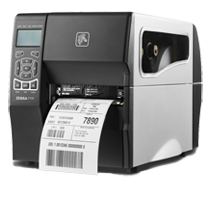
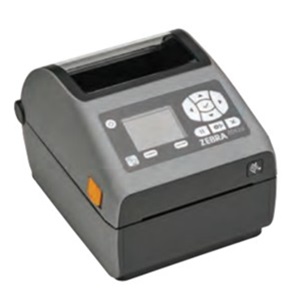
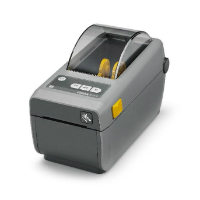
Zebra’s ZD410 user guide carries a November 2, 2015 date. It describes direct-thermal desktop printers, with 203-dpi and 300-dpi versions and support for ZPL and EPL printer languages. These are documented product characteristics, not proof of compatibility with a particular countertop application.
Start with a sample record
Create a demonstration job with a deliberately long customer or project name, a revision, and the identifier your team intends to scan. Include the longest values your workflow needs to support. A template that works for a short example can become confusing when text wraps or is truncated.
Ask the software provider to print that record at the proposed label size. Read it from the distance at which it will actually be used. Scan it with the intended device into the intended screen, then confirm which record opens. A successful scanner beep is not the whole test: the right record must receive the right action.
Separate office labels from exposed labels
A label attached to a folder has a different job from one expected to remain identifiable around material handling and fabrication. Describe the conditions to the label supplier and test the proposed media on the intended surface. Do not infer suitability for water, abrasion, heat, or stone adhesive contact from the printer’s model name.
Keep one approved label sample and the template version with the workstation’s setup record. Define who can change the layout. The practical decision is whether the complete printing-and-scanning process is readable and repeatable, rather than whether the printer is small enough to fit on a desk.
Source record
Document-based retrospective with original workflow analysis. No hands-on test, interview, or trade-show attendance is claimed. Date printed in Zebra’s user guide; not an exact launch date.
Editorial approach & corrections →