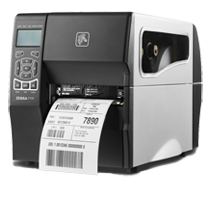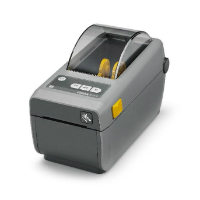
Zebra ZD620: why printer configuration belongs in the shop’s records
A 2017 product-document retrospective focused on configuration, label templates, and maintaining a repeatable setup.
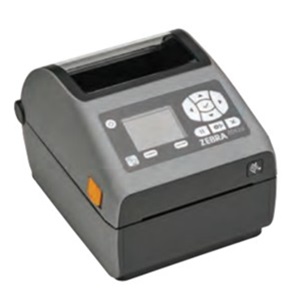
A 2017 product-document retrospective focused on configuration, label templates, and maintaining a repeatable setup.
The useful history of shop technology includes the equipment that rarely makes the purchasing meeting: the device producing job labels every morning. When it is working, the setup can remain undocumented for years. When it fails, the team discovers how much information lived in one workstation.
The period reference
A Zebra ZD620 specification sheet preserved by distributor BSR carries the part-number date September 19, 2017. It describes the product in the context of Zebra’s Print DNA software tools. Zebra also maintains a support page for the ZD620 direct-thermal model. The dated sheet anchors this retrospective; the current support page serves a different purpose and should not be read as an unchanged 2017 product offer.
Record what makes a label repeatable
Treat the printer configuration and the label template as a pair. Record the model variant, print resolution, connection, media dimensions, and the application that sends the job. Keep the approved template in a shared location with an owner and a revision note.
For a countertop operation, use a test set that includes different material identifiers and job revisions. Print from the coordinator’s normal screen rather than a vendor utility alone. Verify the barcode leads to the intended record and that the text remains useful when the scanner is unavailable.
Plan the replacement exercise
Ask a second authorized person to reconstruct the setup using the written record. Note each missing instruction. That exercise is more informative than assuming a configuration export contains everything required to recover the workflow.
Before replacing an older unit, check what must remain the same and what can change. Label stock, template commands, workstation permissions, and network settings are separate questions. A new model number does not answer them automatically. This article is a document-based review of those decisions, not a hands-on evaluation or a claim that the model was exhibited at TISE.
Source record
Document-based retrospective with original workflow analysis. No hands-on test, interview, or trade-show attendance is claimed. Dated Zebra specification sheet preserved by a distributor; not an exact first-sale date.
Editorial approach & corrections →