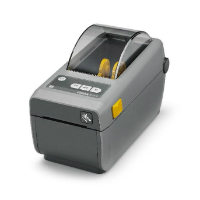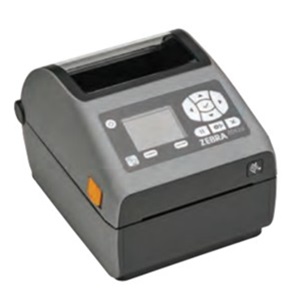
Zebra ZT230: what a shop should check before keeping an older label station
A look at the 2012 ZT200 documentation and the practical questions behind an existing ZT230 installation.
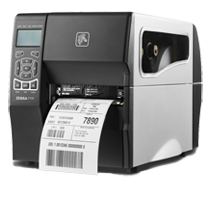
A look at the 2012 ZT200 documentation and the practical questions behind an existing ZT230 installation.
The ZT230 belongs in a discussion about an existing label station before it belongs on a shopping list. An older printer can still produce an entirely useful label, but the surrounding setup may depend on a particular computer, driver, cable, or person who remembers the settings.
What the historical record establishes
Zebra’s ZT200 specification document is dated April 2012. It lists the ZT230 with a metal media cover and an LCD-and-keypad interface. The document distinguishes standard features from options, including thermal-transfer ribbon handling and connectivity choices. This establishes a period reference for the model; it does not establish which options a particular used unit contains.
Trace the label back to the job
For a countertop shop, begin with the record the label identifies. Is the barcode a job number, a slab identifier, a remnant record, or a shipment reference? Those should not be treated as interchangeable. Write down which application produces the value and what should happen when it is scanned.
Next, print a known sample from the actual workstation. Record the printer model, resolution, driver, label dimensions, connection, and template revision. Keep a sample of the output with that record. A saved template without its operating context may be difficult to reproduce after a computer replacement.
Evaluate the installed unit
A seller’s description of a product family is insufficient evidence of the hardware on the bench. Inspect the ports, identify the exact part number, and check the intended media against the manufacturer’s instructions. Ask the application supplier to demonstrate printing from the software version you use.
If the station stops, who can recover it? Name a backup person and make the setup record accessible. That operational question matters whether the shop keeps the printer or replaces it. No durability, adhesive performance, or software compatibility result is claimed here; those require testing the actual combination.
Source record
Document-based retrospective with original workflow analysis. No hands-on test, interview, or trade-show attendance is claimed. Manufacturer specification dated April 2012; not an exact first-sale date.
Editorial approach & corrections →